Every feature you need to build a useful, personalized AI chatbot ready to answer
Import your content, set your tone, customize the widget and deploy your chatbot on your website, WhatsApp or Telegram — all without writing a single line of code.
Why choose Chatyx?
Answers based on your content
Your chatbot draws from your documents and web pages to provide reliable, relevant answers.
No-code customization
Adapt the appearance, tone and behavior of your assistant without any technical skills.
Online in minutes
Deploy your chatbot on your website, WhatsApp or Telegram in just a few clicks.
Monitoring and tracking
Track usage, analyze conversations and keep control over your AI assistant.
No-code chatbot creation
Create an AI chatbot in a few clicks. Set its name, avatar, colors, welcome message and response suggestions — no technical skills required.
- Quick and easy setup
- Interface designed for non-technical users
- Up and running in minutes
Illustration of how it works. The data shown is fictional.
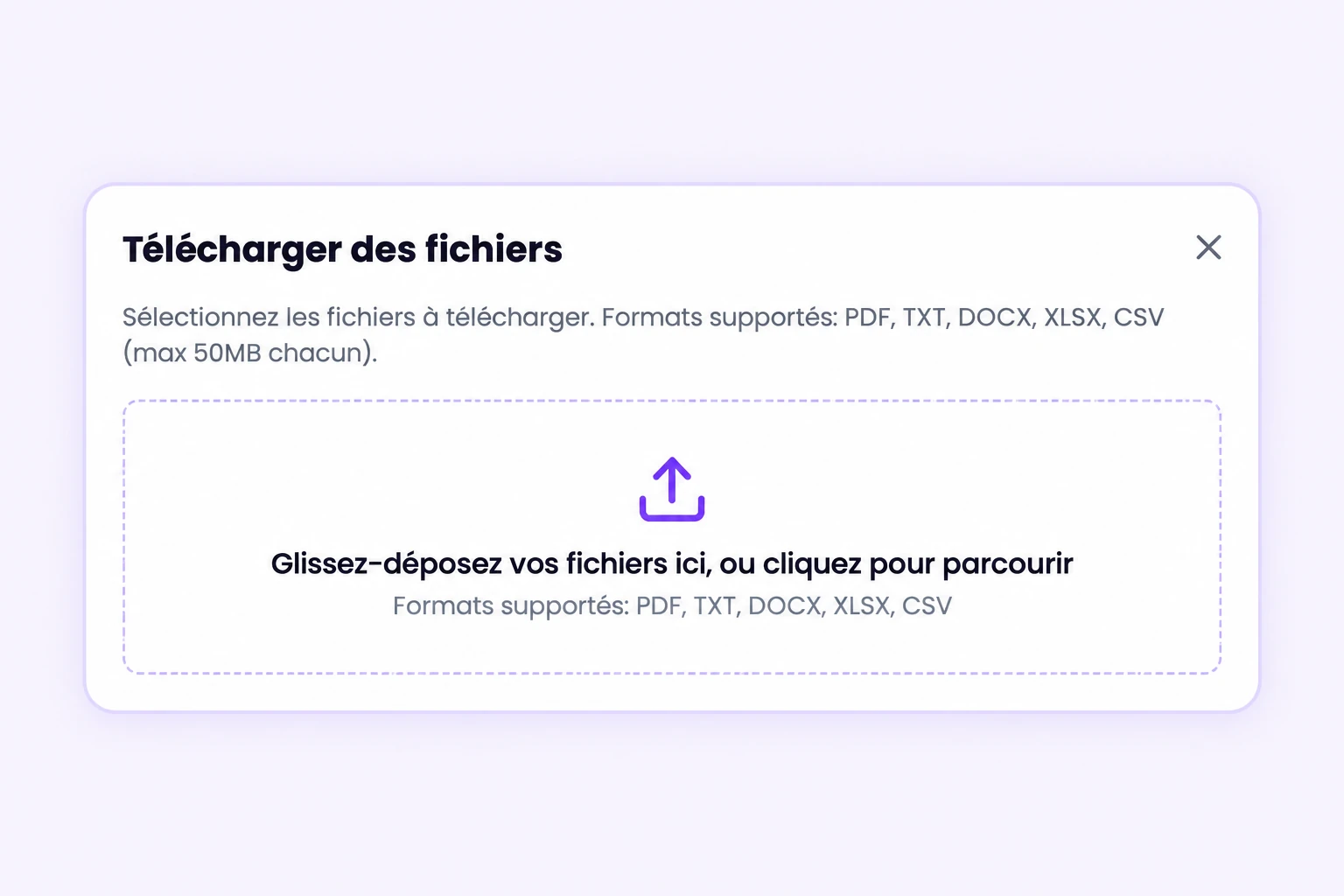
Data source import
Import your PDF, DOCX, XLSX, CSV or TXT files, add your website URLs or the pages from your XML sitemap. Chatyx uses this content to answer visitor questions.
- Import documents, web pages and XML sitemaps
- Automated content analysis
- Centralized knowledge base
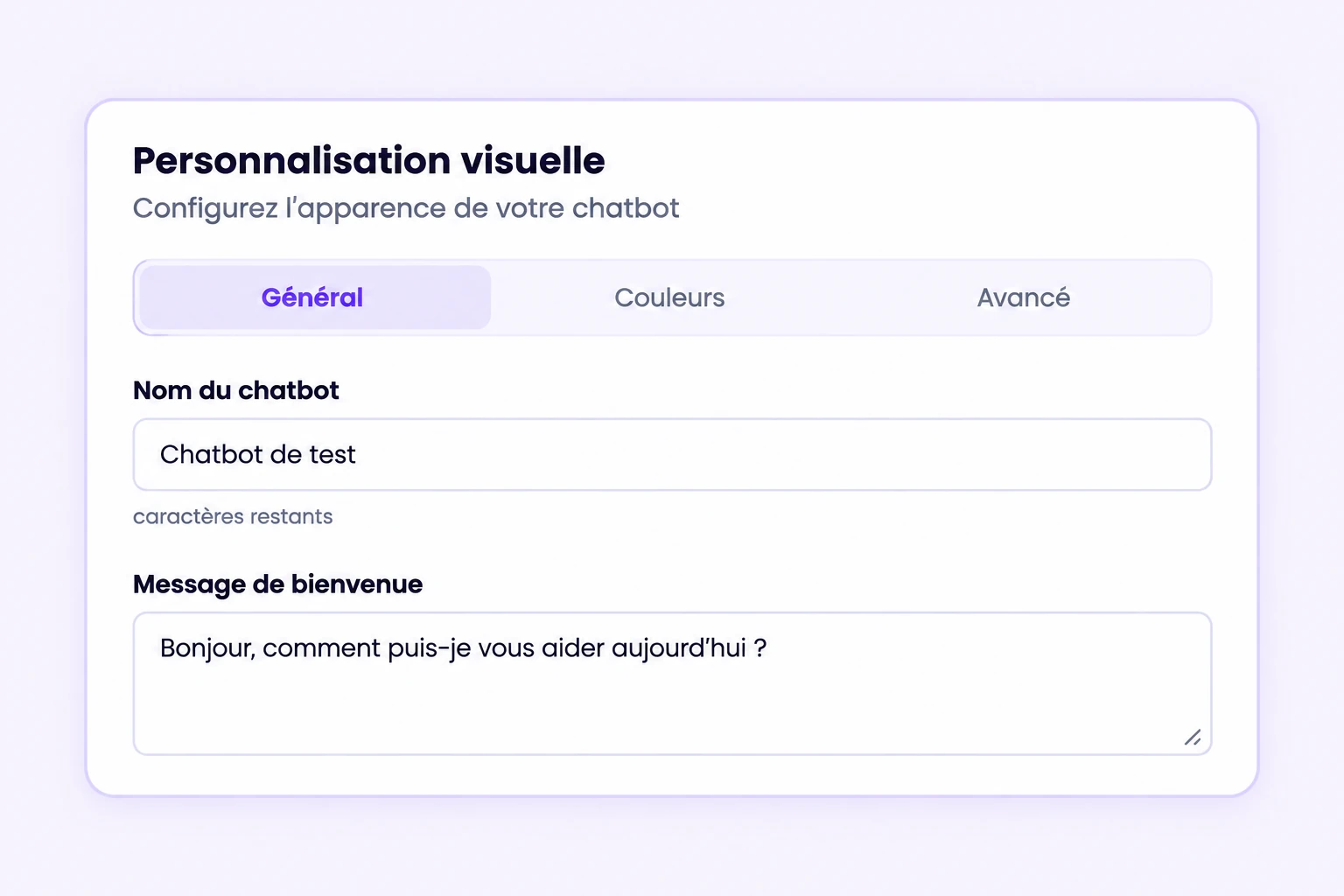
Visual customization
Match the chatbot to your brand: colors, avatar, welcome message, suggestions, widget style and buttons.
- Brand colors
- Custom avatar and text
- Consistent with your site
Personality & System Message
Set the tone, language, response rules and business instructions for your chatbot so it truly reflects your activity and identity.
- Brand tone of voice
- Language and conversational style
- Custom content rules
Illustration of how it works. The data shown is fictional.
Multichannel deployment
Deploy your chatbot on your website via widget, on Telegram or WhatsApp, without unnecessary technical complexity.
- Web widget
- Telegram
- Quick deployment
Illustration of how it works. The data shown is fictional.
Analytics & Token Audit
Track token usage, analyze activity over different periods and view automatic conversation summaries.
- 24h / 7d / 30d / 6mo / 1yr view
- Conversation summaries
- Usage tracking
Illustration of how it works. The data shown is fictional.
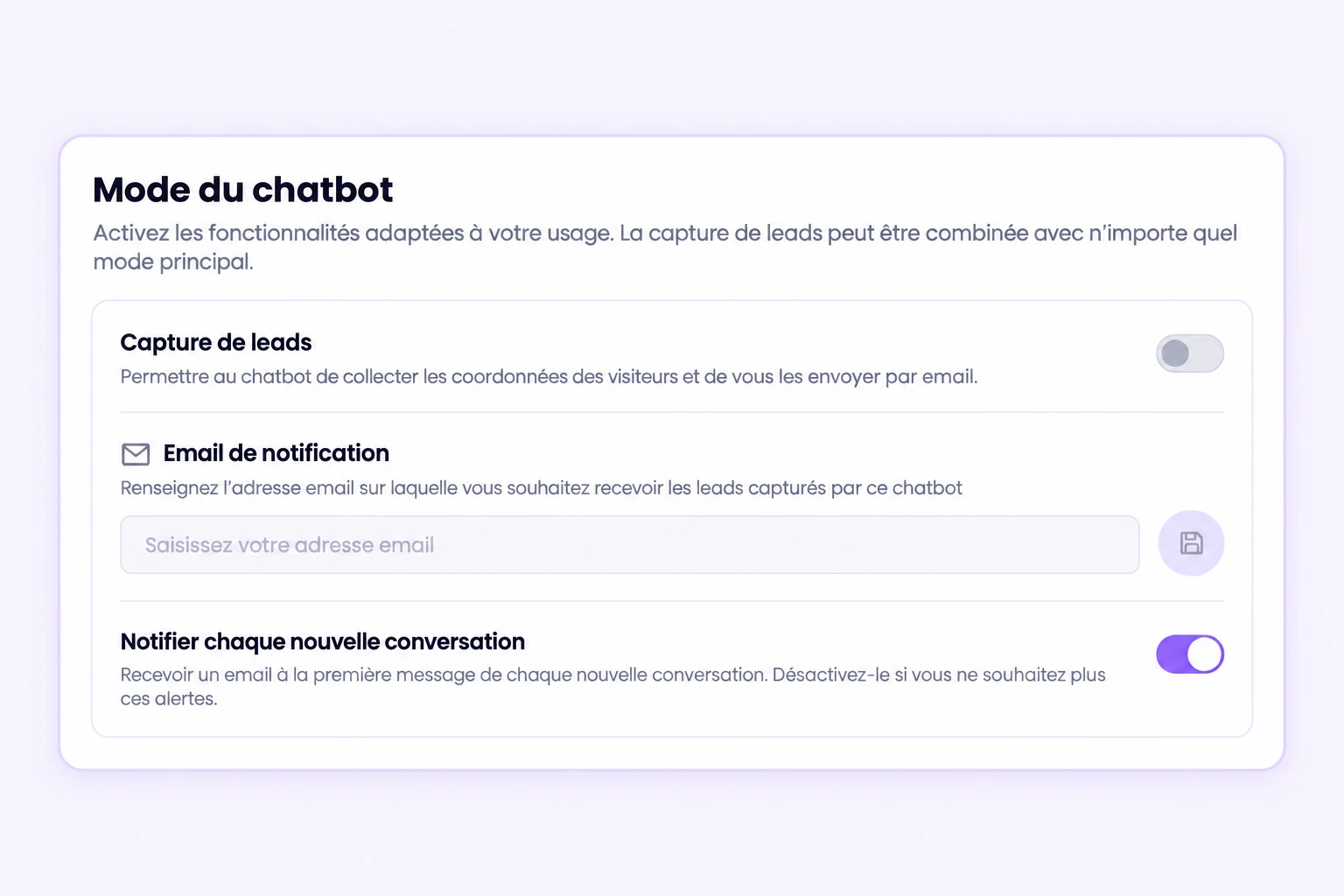
Lead capture inside the conversation
Chatyx automatically detects when a visitor wants to be contacted and displays a contact form right inside the chat thread, with explicit consent. The lead is stored, summarized and emailed to you so you can follow up at the right moment.
- Human contact intent detection
- Form displayed in the conversation, with consent
- Email notification and lead stored in the dashboard
Security and data
Primary database in Supabase’s Paris region, HTTPS connections, access checks and widget domain restrictions. Review external processing and the available export and deletion options.
- Primary database in Paris; external services explained
- Two-factor authentication on your account
- Account export and deletion request
Illustration of how it works. The data shown is fictional.
Shopify Integration
Connect your Shopify store to Chatyx to provide your customers with real-time order tracking and accurate product catalog information, directly from the chatbot.
- Automated order tracking
- Real-time catalog information
- Shopify connection in a few clicks
Illustration of how it works. The data shown is fictional.
Business modes: standard, store, catalogue
Pick the mode that matches your business. In standard mode the chatbot answers from your documents. In store mode it queries your Shopify catalogue. In catalogue / real estate mode it guides the search, qualifies the need and presents matching listings.
- Standard mode: answers based on your content
- Store mode: Shopify catalogue and orders
- Catalogue / real estate mode: guided listing search
Illustration of how it works. The data shown is fictional.
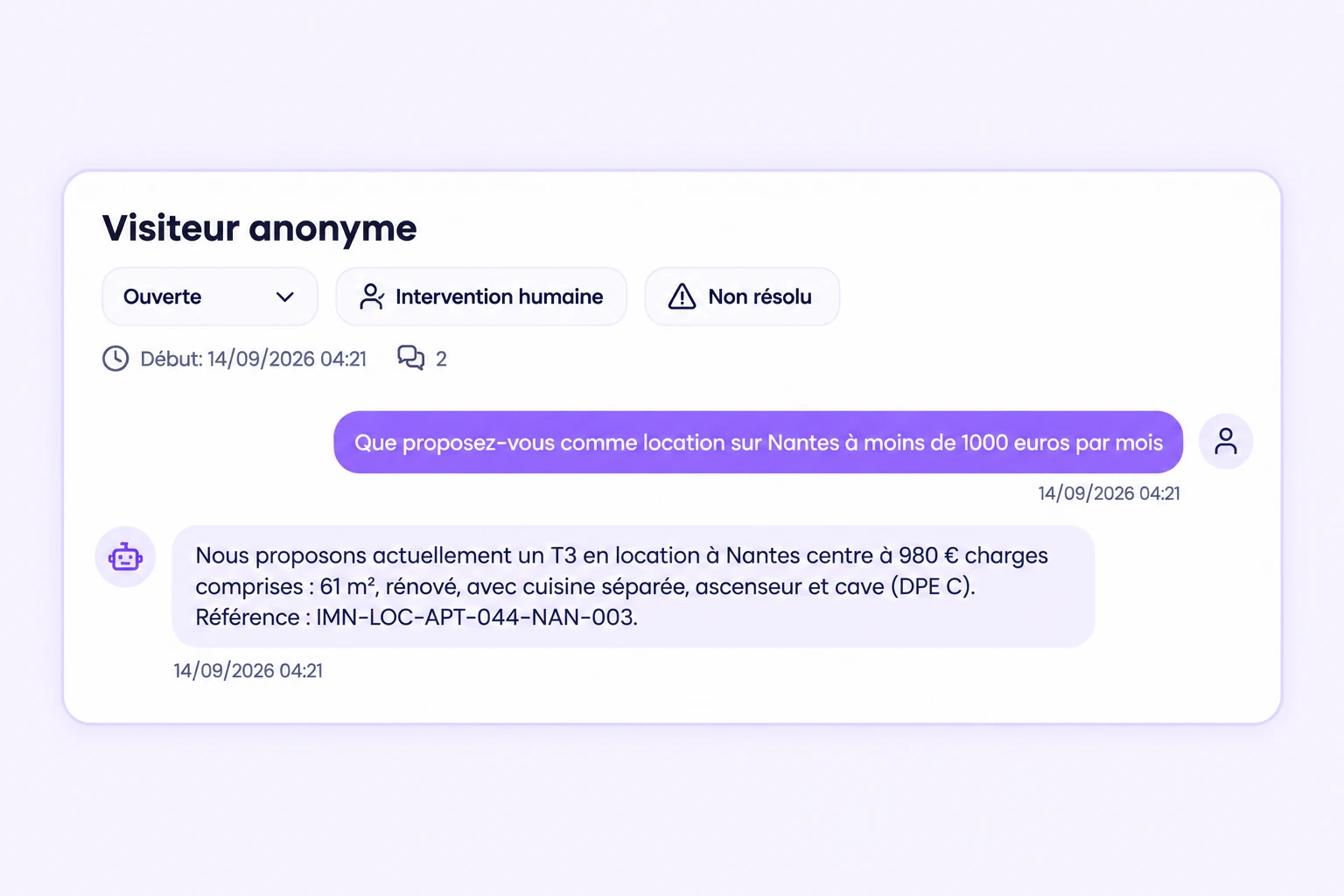
Conversation inbox and lead follow-up
Find every conversation from your chatbots in one place: full exchanges, lead identity, handling status, internal notes and an automatic summary of each discussion. You see at a glance what has been handled and who still needs a call back.
- Complete conversation history
- Handling status and internal notes
- Automatic summary and lead contact details
Rich answers: cards, tables and carousels
The chatbot is not limited to text. It can present your products or listings as cards with a photo and a link, display comparison tables or image galleries — on your website as well as in a WhatsApp carousel.
- Product and listing cards with photos
- Tables, galleries and clickable links
- WhatsApp carousel to showcase several offers
Illustration of how it works. The data shown is fictional.
How does it work?
Import your content
Add your web pages or documents to build the chatbot's knowledge base.
Customize your assistant
Set its appearance, tone and response rules.
Deploy and manage
Install your chatbot on your channels and track its activity from your dashboard.
What can Chatyx actually do?
Answer FAQs 24/7
Your chatbot handles recurring questions to relieve your team, day and night.
Guide visitors to the right pages
Automatically direct your visitors to the information they're looking for on your site.
Centralize answers from your documents
The chatbot draws from your FAQ, files and pages to answer with precision.
Save time on customer support
Automate simple requests and let your team focus on the most important cases.
Who is Chatyx designed for?
Chatyx is designed for organizations that want to automate part of their customer relations without launching a complex technical project.
SMBs
Automate your customer support and instantly answer questions from prospects and clients.
Freelancers & Agencies
Offer 24/7 customer service without hiring, and deploy chatbots for your own clients.
Companies with automated support
Centralize your knowledge bases and reduce the load on your support team with AI.
"A solution designed to get to the essentials: being quickly useful, without unnecessary technical complexity."
Ready to automate part of your customer service?
Create your first AI chatbot and start answering faster, clearer and more efficiently.
Explore our ready-to-use AI chatbots
Real Estate Chatbot — designed to qualify prospects for real estate agencies and answer questions about properties, visits and financing.
Pharmacy Chatbot — designed to inform pharmacy customers about available products, services and opening hours.
E-commerce Chatbot — designed to automate customer support, order tracking and product recommendations for online stores.