Chatyx · The AI chatbot for your business

    Your knowledge,in conversation.

    Your documents, properties and products become useful answers. Visitors take the next step. Your team can review conversations and enquiries that need a follow-up.

    No code required. Start with a free plan and defined usage allowances.
    Explore the journey inside Chatyx

    Website · WhatsApp · Telegram

    Inside the app

    A specific question. A useful answer.

    This demo conversation shows a rental enquiry in Nantes. The answer draws on the property information configured in the sources.

    Explore this use case
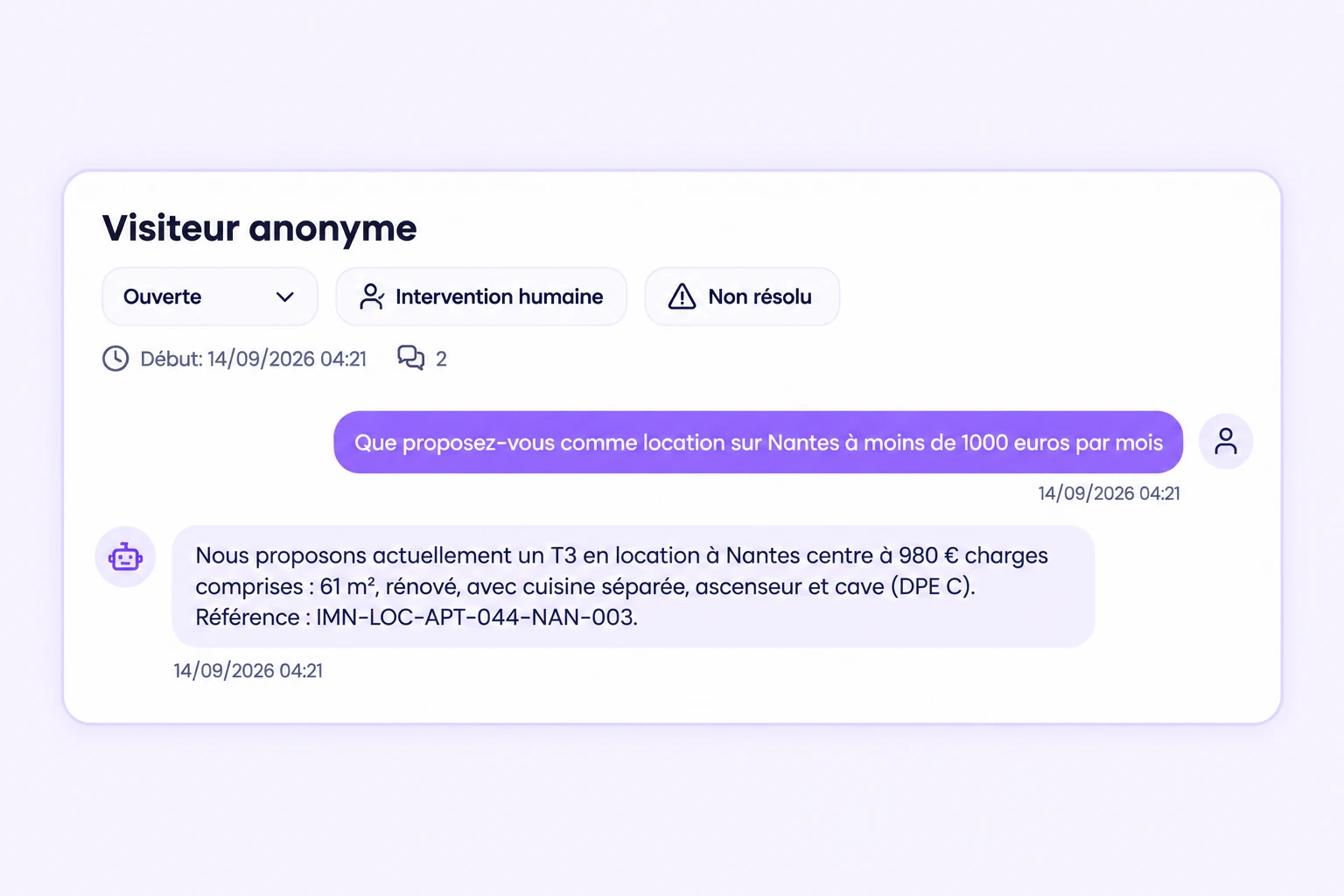
    Demo conversation in Chatyx with its follow-up status
    ImmoNova test exchange, fictional scenario. Visual recreated from the dashboard. Enlarge visual

    From the first question to follow-up

    Turn a question into an enquiry your team can handle

    1. A visitor asks a question

      On your website, WhatsApp or Telegram, once your chosen channels are connected.

    2. The chatbot uses your content

      Documents, web pages and, depending on the configured mode, property listings or a Shopify catalogue.

    3. It offers to collect contact details

      When collection is enabled, visitors choose whether to share their details for a follow-up.

    4. Your team follows up

      Review the conversation, its summary and collected contacts. Configure a notification email address.

    Your team confirms availability, appointments and next steps. Answer quality depends on the chatbot’s sources and settings.

    Three practical ways to use Chatyx

    Answer questions about your business

    Opening hours, services, delivery and documentation: make your content available as answers to visitors.

    The small business chatbot

    Present your property listings

    Configure your listings catalogue to find properties, display cards and collect viewing requests.

    The real estate chatbot

    Help your e-commerce customers

    Explain your policies and products. Connect Shopify to also access the catalogue and order status.

    The e-commerce chatbot

    Inside the app

    Start with your documents and pages

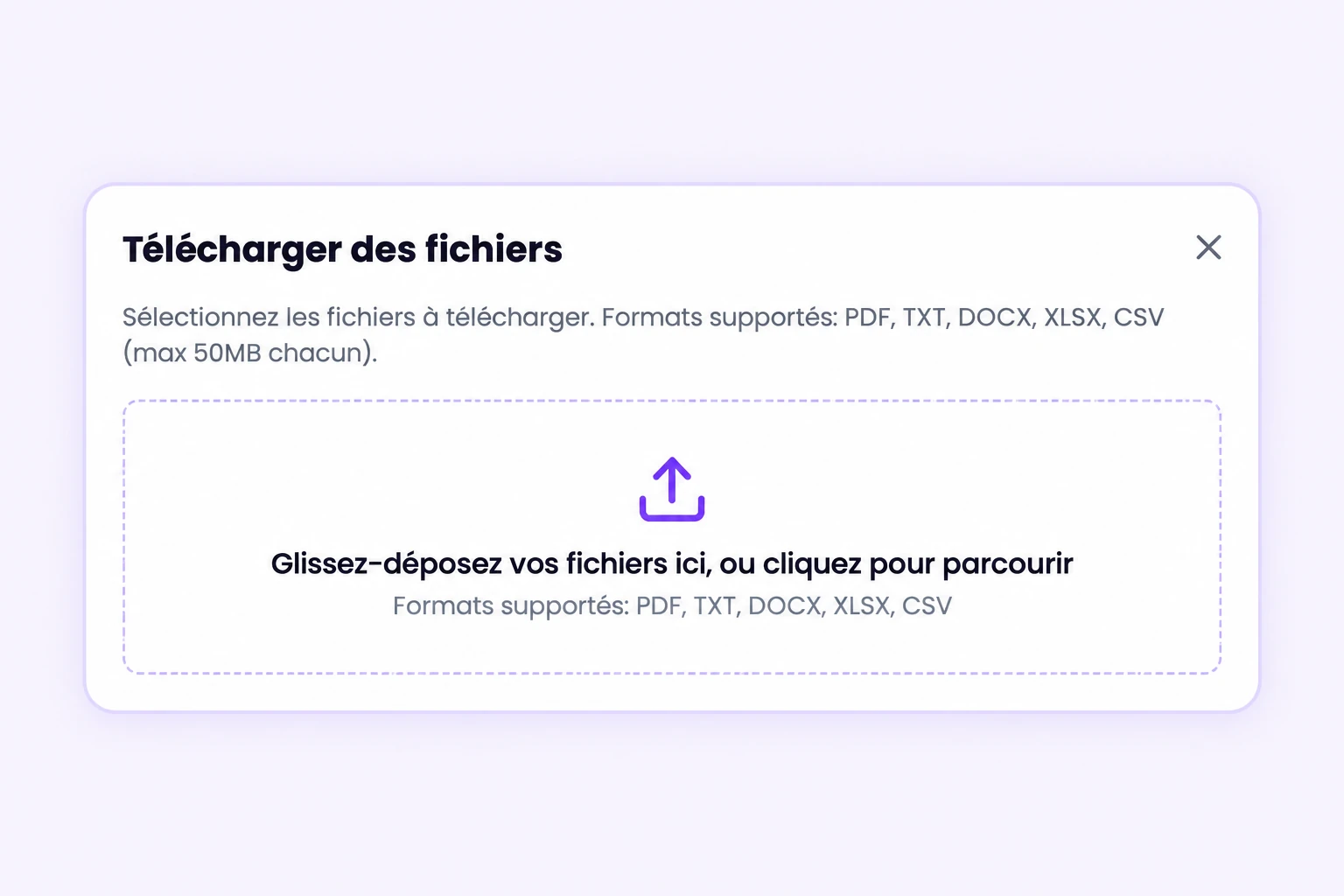
    Upload files or add URLs to the chatbot’s sources. Set instructions that define its role, tone and the topics it should cover.

    Explore features and settings
    Chatyx file upload dialog
    File upload visual recreated from the app, without customer documents. Enlarge visual

    Collect a contact when it is useful

    Enable collection in the chatbot’s settings. Visitors can share their details with consent so your team can continue the conversation.

    • Optional collection enabled per chatbot
    • Details shared with the visitor’s consent
    • Notifications sent to your configured email address
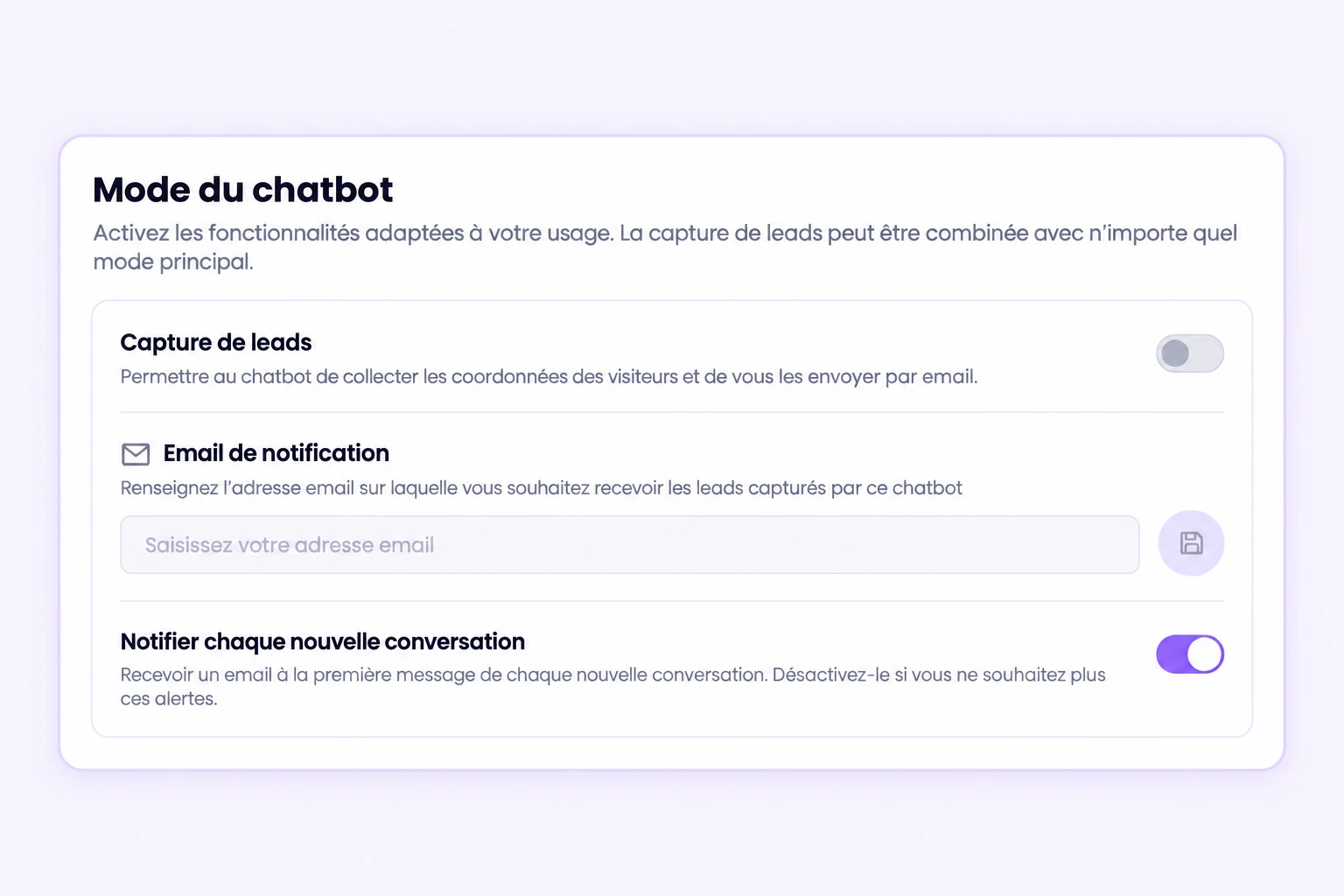
    Chatyx contact collection option and notification settings
    Visually recreated test settings. Collection remains disabled in this example. Enlarge visual

    Keep the context for the next step

    Review conversations and their summaries in the dashboard. Configure notifications to find exchanges and organise your team’s follow-up.

    Demo conversation in Chatyx with its follow-up status
    ImmoNova test exchange, fictional scenario. Visual recreated from the dashboard. Enlarge visual

    Be present everywhere!

    Deploy your chatbot across all your customers' communication channels

    WhatsApp

    Answer your customers directly on WhatsApp with your AI chatbot.

    Telegram

    Deploy your chatbot on Telegram for instant support.

    Website

    Embed a smart chatbot widget directly on your website.

    See a WordPress installation example

    This demonstration shows how the widget can be integrated into a WordPress website.
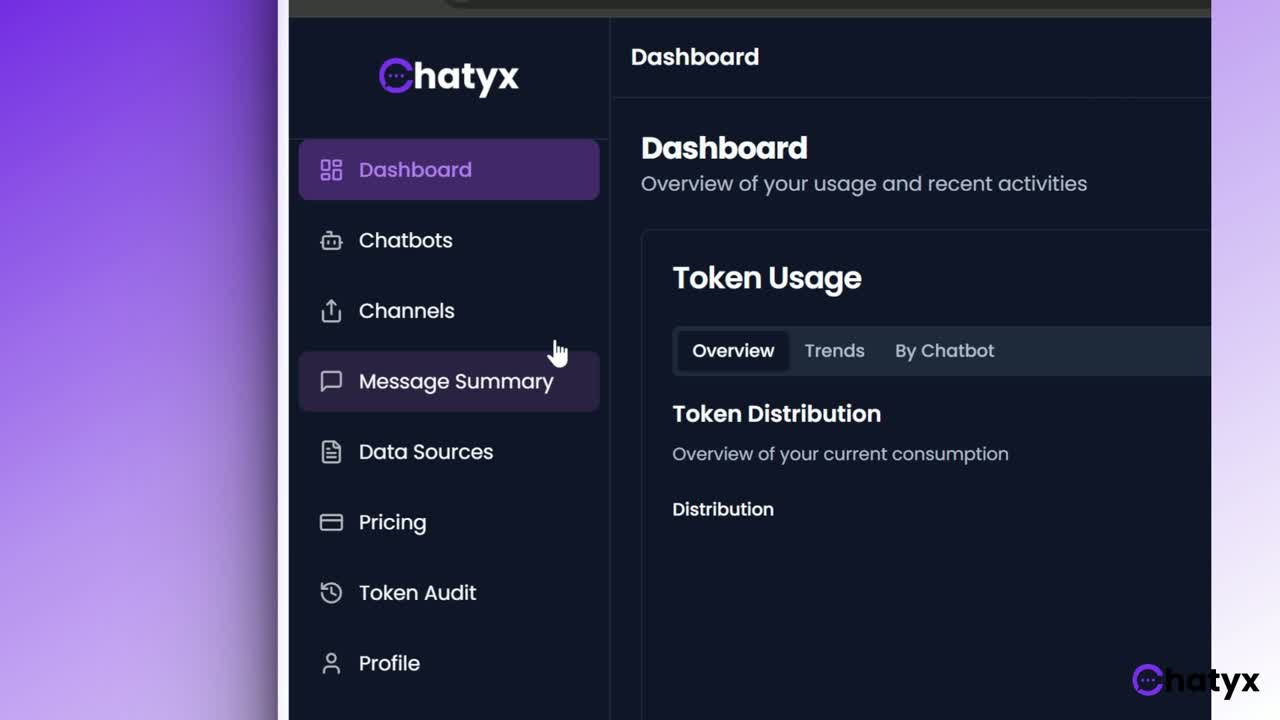
    Recorded with an earlier version: some screens may differ from the current app.

    Try a demo

    Pricing

    Start for free and scale as you grow

    MonthlyAnnual
    Starter

    Essential for freelancers and micro-businesses. 1,000,000 message tokens/month (~200 AI messages).

    $21/ month

    • 2 chatbots
    • 5 data sources
    • 1,000,000 message tokens / month
    • 500,000 storage tokens / month
    • 1 GB file uploads
    • Email support
    • Monthly billing
    Subscribe
    Growth

    The SMB bundle to manage multiple channels and scale up. 3,000,000 message tokens/month (~600 AI messages).

    $43/ month

    • 5 chatbots
    • 20 data sources
    • 3,000,000 message tokens / month
    • 2,500,000 storage tokens / month
    • 5 GB file uploads
    • Priority email support
    • Monthly billing
    Subscribe
    Popular
    Scale

    Built for scale-ups: high volumes and advanced connectivity. 10,000,000 message tokens/month (~2,000 AI messages).

    $87/ month

    • 10 chatbots
    • 100 data sources
    • 10,000,000 message tokens / month
    • 10,000,000 storage tokens / month
    • 20 GB file uploads
    • Priority email support
    • Monthly billing
    Subscribe
    Enterprise

    Large quotas + 24/7 VIP support for large organizations. 30,000,000 message tokens/month (~6,000 AI messages).

    $162/ month

    • 100 chatbots
    • 5,000 data sources
    • 30,000,000 message tokens / month
    • 30,000,000 storage tokens / month
    • 100 GB file uploads
    • 24 / 7 VIP support
    • Monthly billing
    Subscribe
    Free
    $0/ month
    • 1 chatbot
    • 1 data source
    • 50,000 message tokens
    • 10,000 storage tokens
    • 100 MB storage
    Subscribe

    Message estimates assume 5,000 tokens per AI message. Actual usage depends on exchanges and context. Any fees for connected services are separate.

    Understand quotas and billing

    Token Calculator

    In 4 steps, estimate your needs and find the right plan for your usage

    What's your use case?

    Pick the scenario closest to yours — we'll pre-fill the values for you.

    Step 1 / 4
    Message Tokens
    2.3 M
    per month
    Storage Tokens
    105 k
    Indexed once

    We answer your questions

    Find answers to the most common questions

    What is a business chatbot and what is it for?
    A business chatbot is a virtual assistant that automates answers to questions from your customers, prospects or staff. It qualifies incoming requests, frees your team from repetitive tasks and stays available 24/7 on your website, WhatsApp or Telegram.
    What are the benefits of a chatbot for customer service?
    A customer service chatbot cuts response time, handles many conversations in parallel, lowers cost per contact and improves satisfaction through instant availability. Your human agents focus on high-value cases.
    Do I need coding skills to use Chatyx?
    No! Chatyx is a 100% no-code solution. The intuitive visual interface lets you configure your chatbot in minutes.
    How much does a chatbot cost for an SMB?
    Chatyx has a free plan for testing with no commitment (1 chatbot, 50,000 message tokens). Paid plans range from $21 a month (Starter, 2 chatbots) to $162 a month (Enterprise), with no setup or development fees; annual billing lowers the monthly price. On WhatsApp, Meta also charges for delivered messages under its own rate card.
    How does an AI chatbot improve customer service 24/7?
    The chatbot instantly answers frequent questions, points customers to the right information and captures requests outside business hours. Customers get a reply at any time, and your team picks up qualified conversations the next day.
    What is the best chatbot for a business?
    No chatbot is the best for every business: the right choice depends on your channels, your content, your budget and your data requirements. Chatyx is a no-code AI chatbot published in France for small and mid-sized businesses. It answers from your web pages and documents, runs on your website, WhatsApp and Telegram, and emails you contact requests. A free plan lets you test it. It has no native CRM connector and does not replace a ticketing tool.

    Contact us

    Have a question? Don't hesitate to reach out

    Your information is used to handle your enquiry. Read our policy for processing details and your rights. Privacy policy